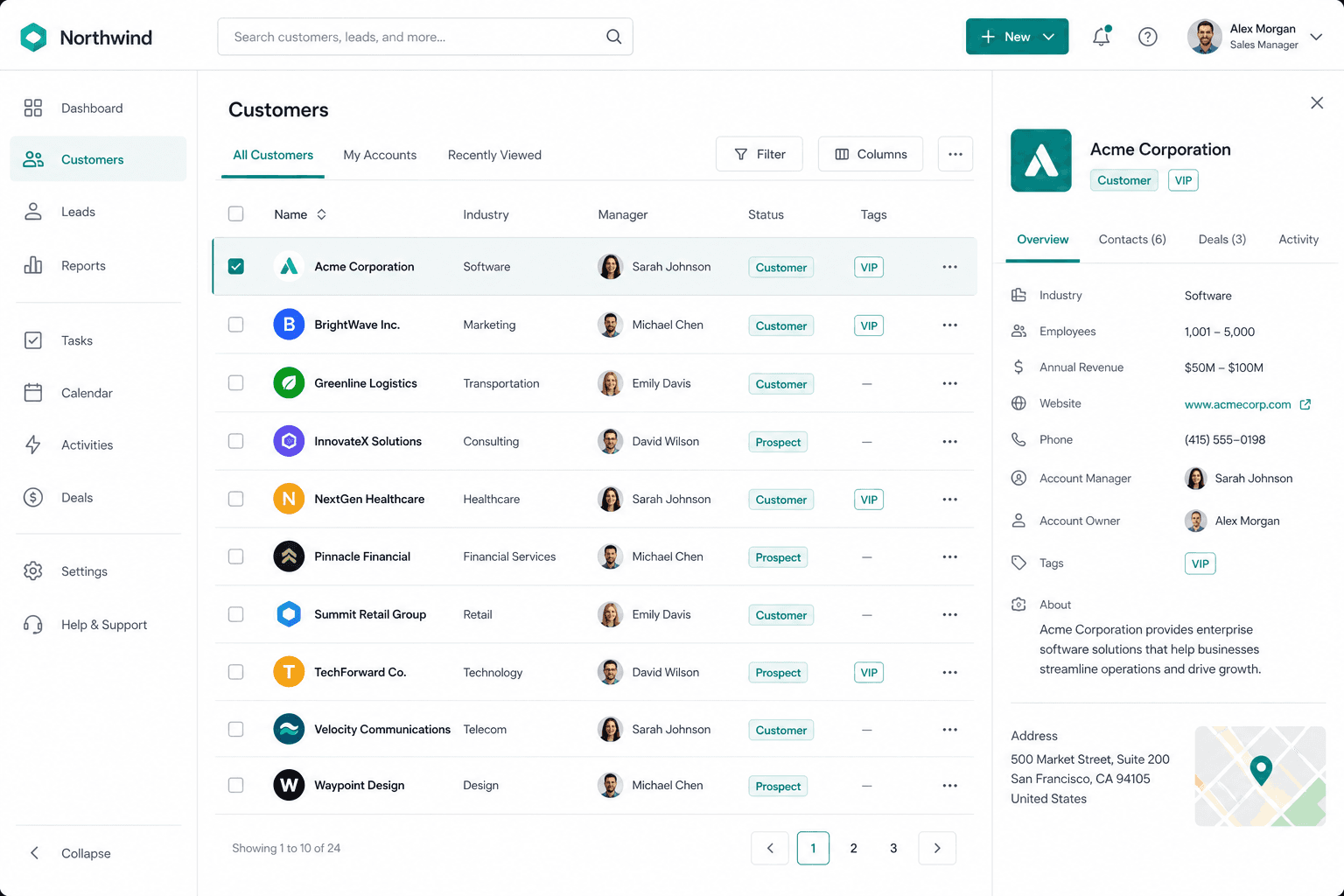
CRM — customers, leads, and pipeline in one record
Company & person accounts, contacts, activities, and sales — shared with Omnichannel, Meeting Center, Accounting, and Team Chat.
Contact Product AgencyYou know your customers. Your system doesn't.
Contacts, deals, and chats live in different tools — the pipeline only looks clear in a spreadsheet.

Conflicting customer records
Contacts, deals, and chats sit in different tools — nobody has one source of truth.
Pipeline in a spreadsheet
Stalled leads and win rate show up too late — stages live in a file nobody trusts.
Won deals still re-typed
Quotes, invoices, and files don't follow the customer — someone copies them again.
Support & sales don't share a person
Inbox chats never land on the CRM file — the next handoff starts from scratch.
Customers, contacts & tags
Company or person accounts — one file the whole workspace uses.
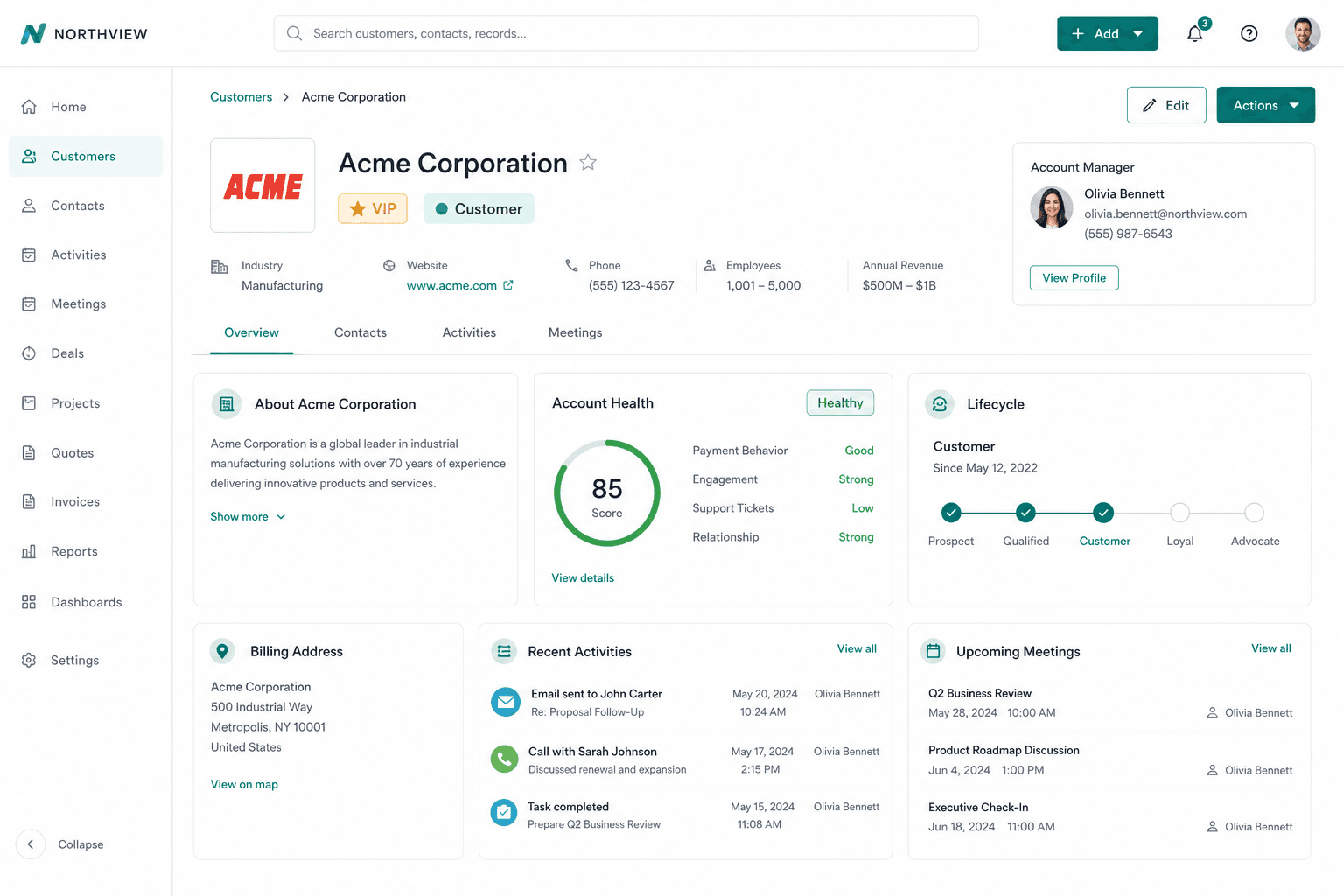
Company & person customers
Business details, addresses, industry, and lifecycle — Prospect, Customer, or Churned.
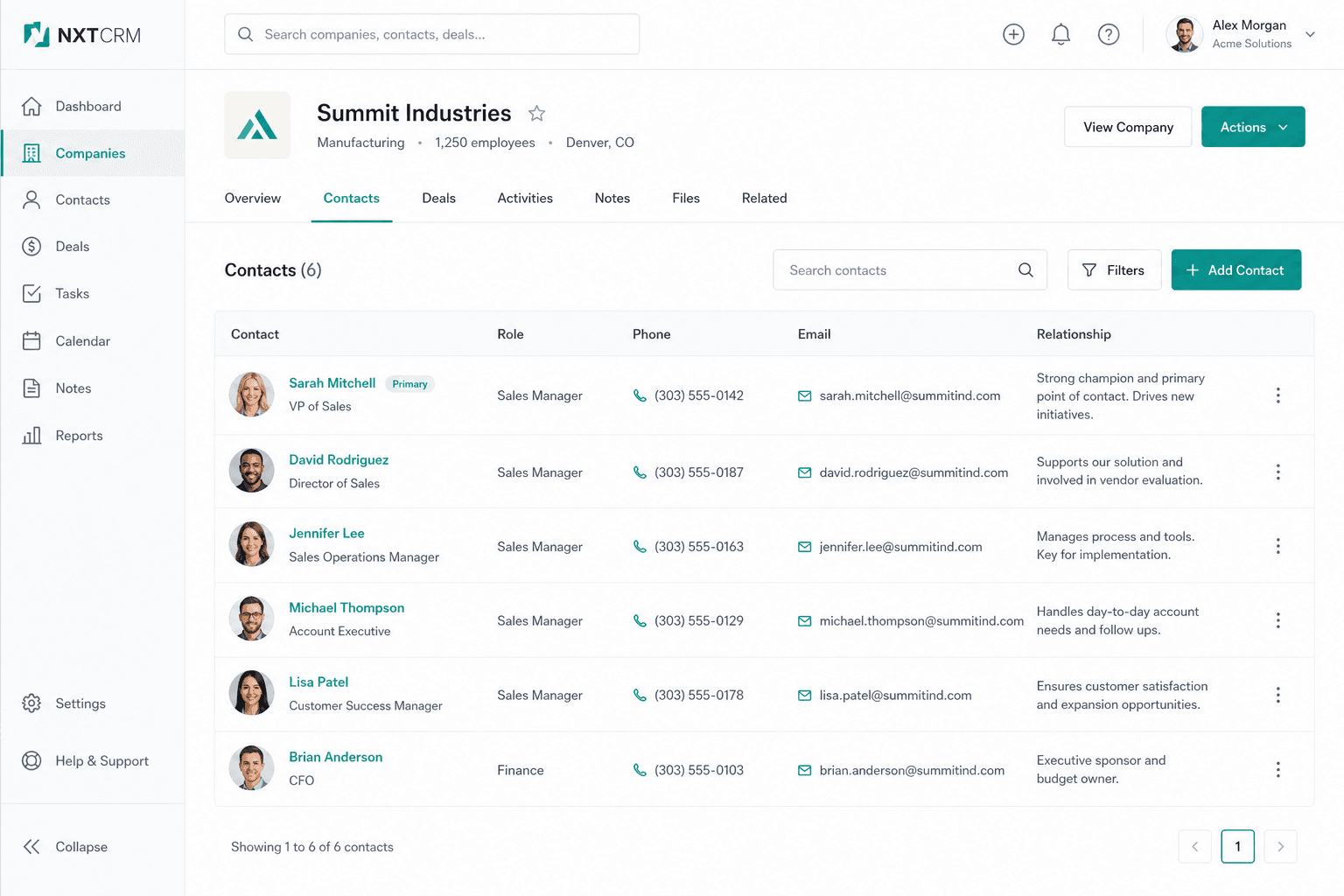
Contacts with roles
Primary contact, role, and relationship notes per account — ready for every handoff.
Tags & managers
VIP-style tags and manager assignment — filter Assigned to me or Unassigned.
Leads & sales visibility
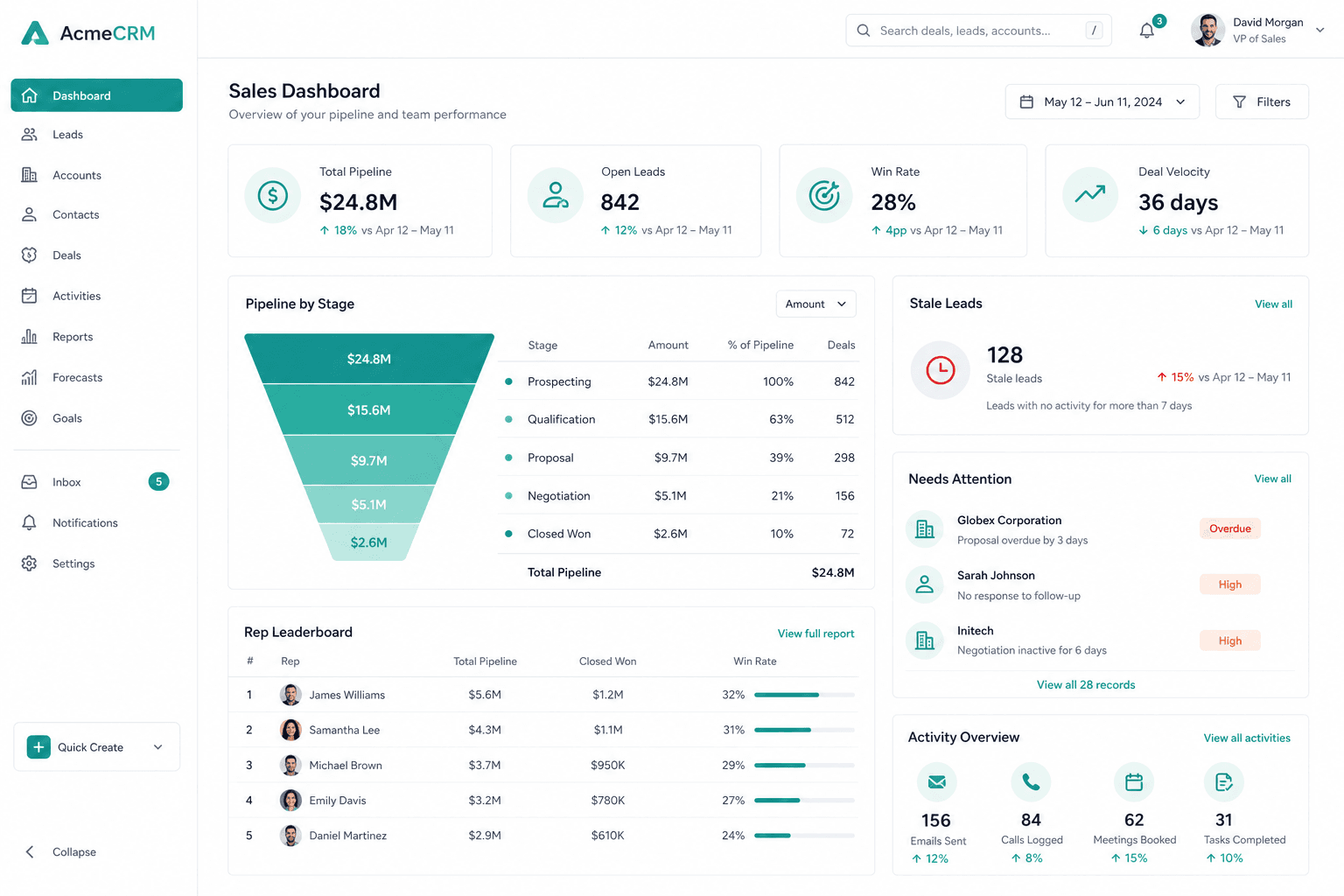
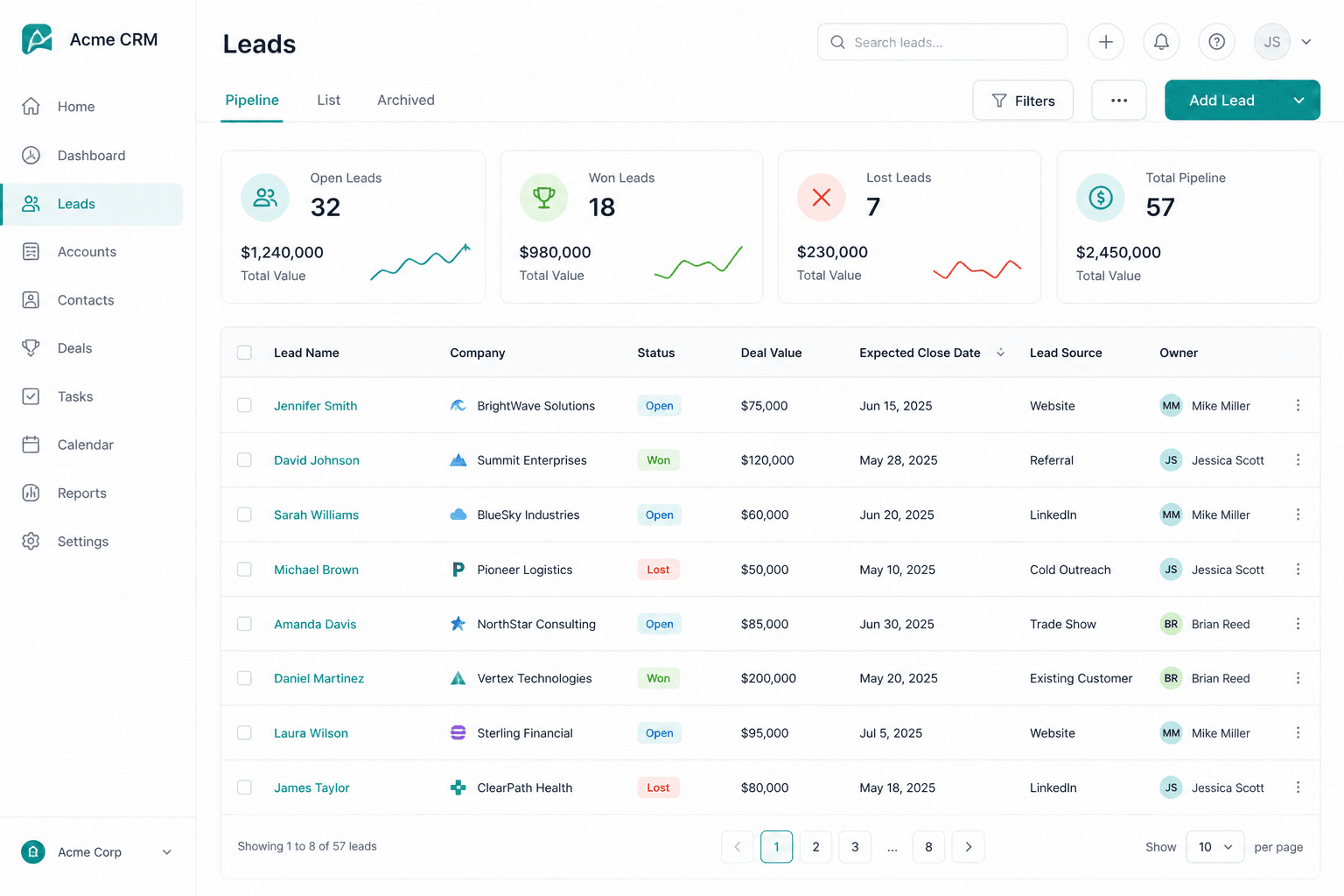
Mark leads, customize stages, see pipeline health without another tool.
01
Custom lead statuses
Drag, colors, and Open / Won / Lost outcomes — fit the pipeline to how you sell.
02
Deal value & source
Pipeline value, expected close date, and lead source on every opportunity.
03
Sales dashboard & reports
KPIs, funnel, stale leads, rep scorecards — export CSV when leadership asks.
Activities, meetings & files
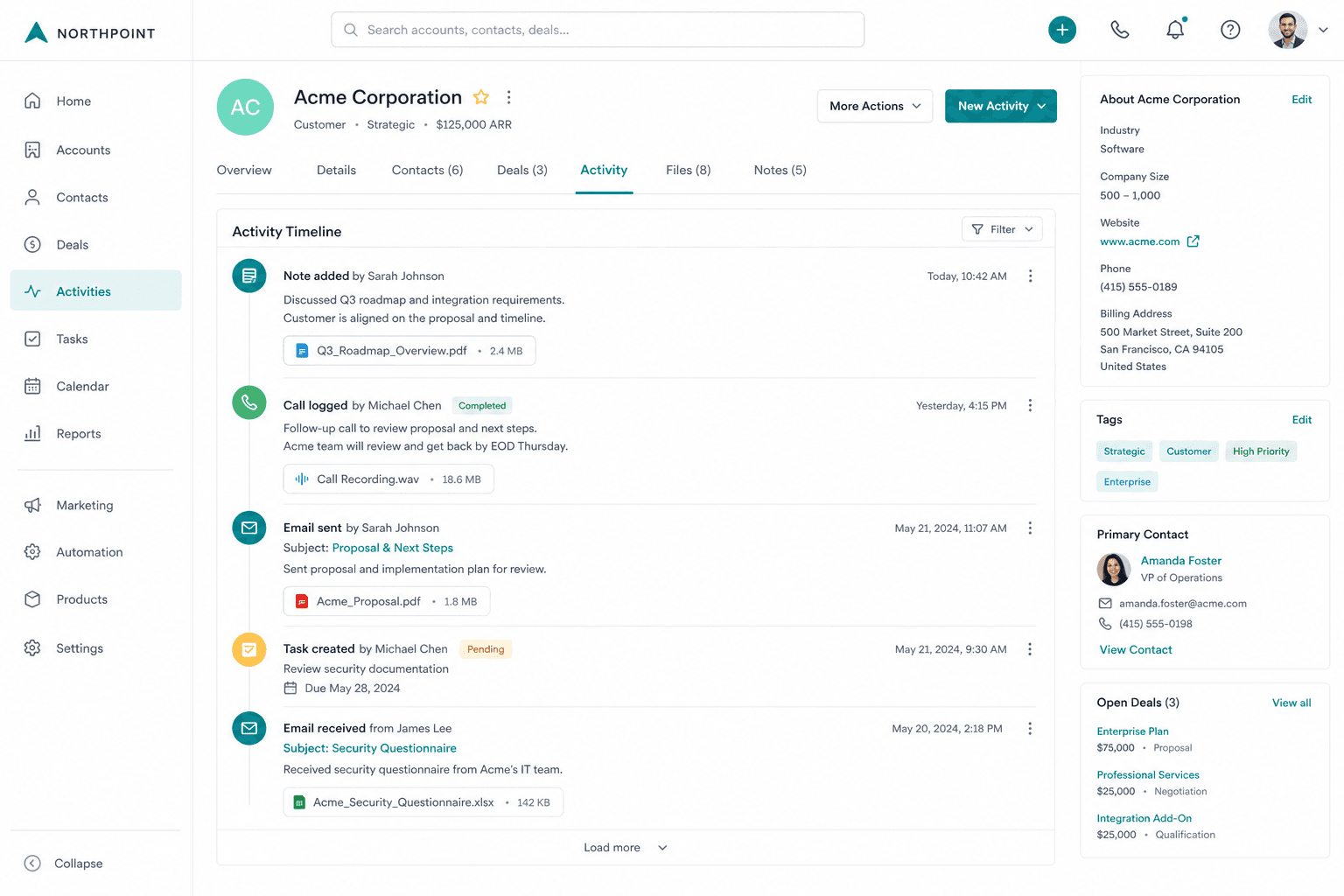
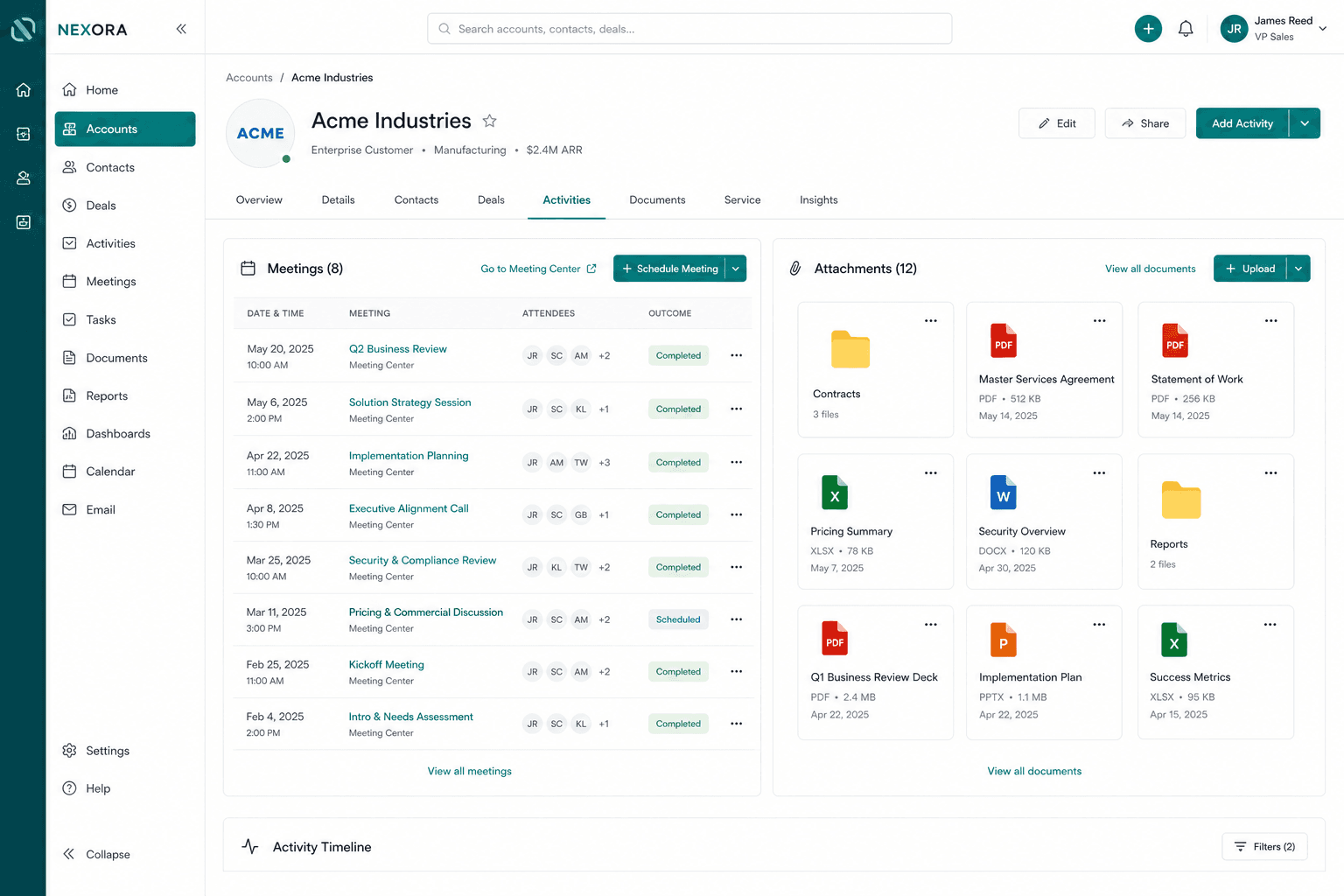
Every touchpoint and file lives on the customer.
Log activities
Notes, emails, calls, tasks, and meetings with attachments — history stays searchable.
Meeting Center
Schedule from CRM with the customer pre-linked — meetings tab on the account.
Attachments & Accounting docs
Customer drive for files; invoices and quotations on the Documents tab.
Omnichannel, share & OperAgent
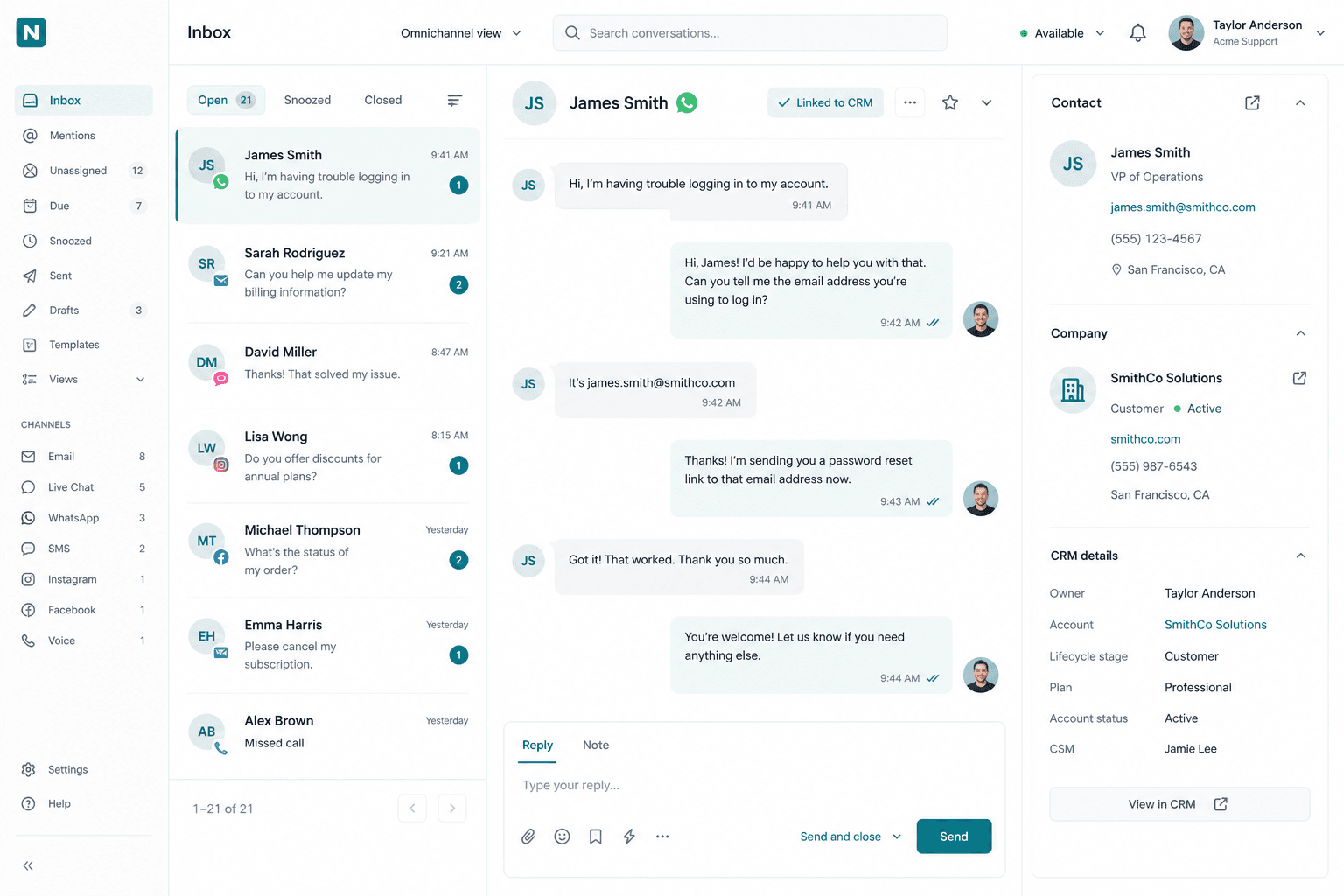
The same person in inbox, campaigns, chat, and AI.
01
Inbox ↔ CRM link
Connect omnichannel conversations to CRM person accounts — open the prospect from the chat.
02
Broadcast audiences
WhatsApp, LINE, and EDM audiences from CRM plus channel IDs and tags.
03
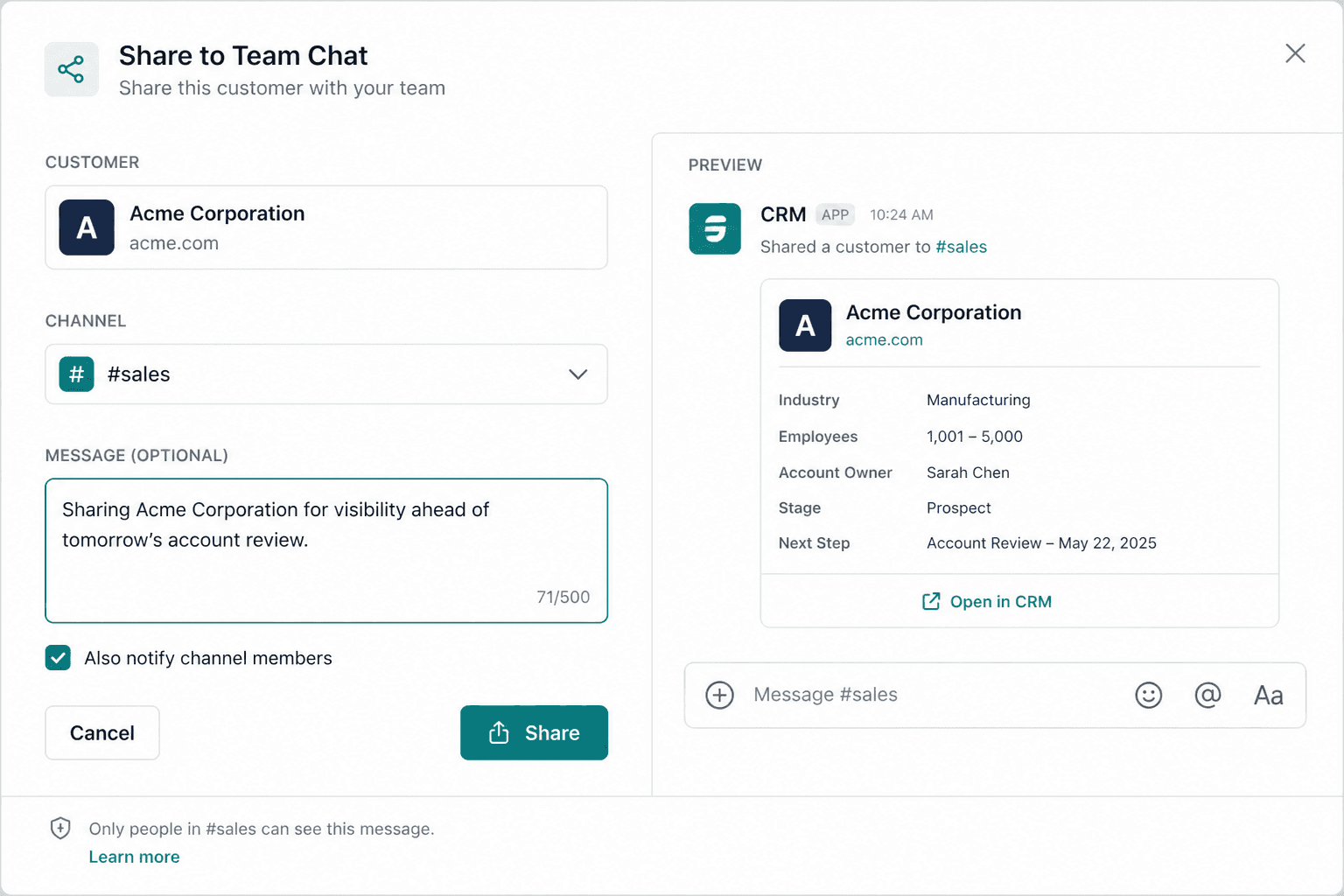
Share + Copilot
Share to Team Chat or Omnichannel; OperAgent CRM MCP to search, update, log, and report.

Curious if CRM in B-Suite can replace HubSpot + spreadsheets?
Tell us how you handle customers, leads, and pipeline today — we'll reply with a practical next step, not a sales pitch.
Contact Product Agency